Release 4.05 - Did You Know?
📘 Overview
The September 2024 NimbleStory update brings new features to enhance workflow. This includes a new minor feature, Web Packages (also known as Web Bundles), which introduces a separate creation flow specifically tuned for multiple file uploads (Zip files). Additionally, a new beta feature allows for Digital Workspace creation by Miro Template, enabling users to create Miro boards directly from NimbleStory via the Miro API.
Web Packages
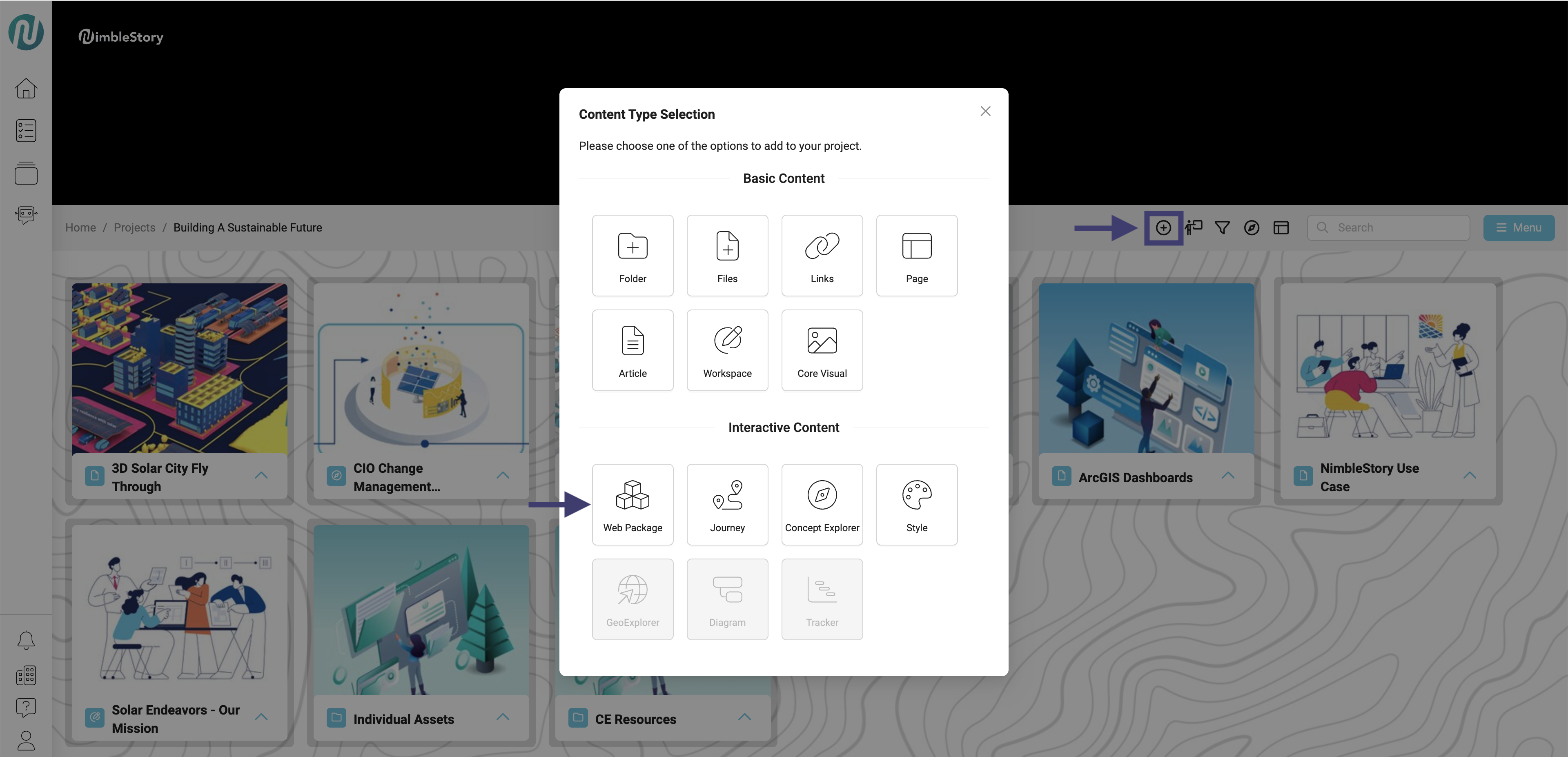
- Navigate to the Add Content button.
- A Content Type Selection modal will appear.
- Click Web Package.
-
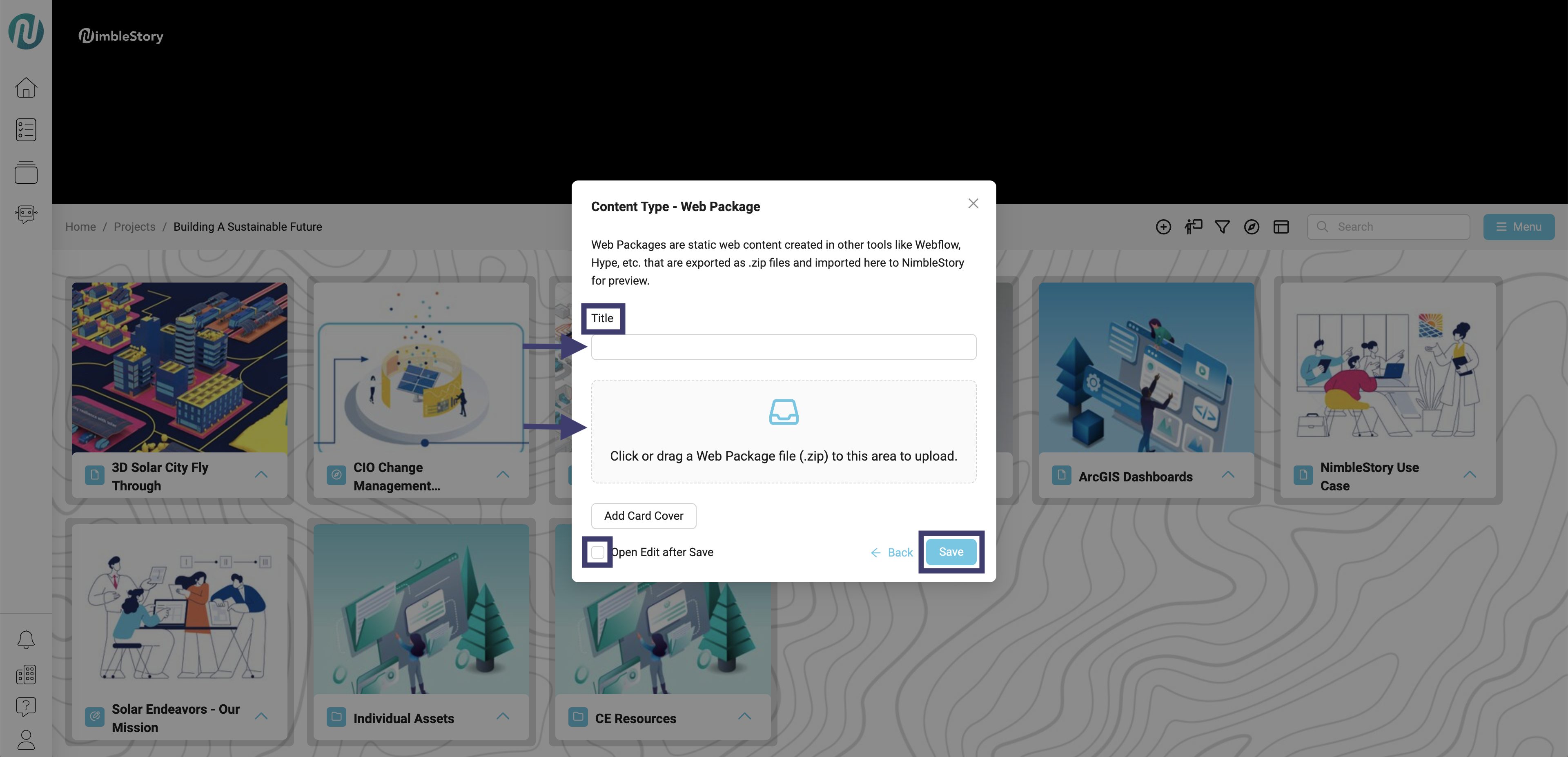
A new modal will appear titled Content Type - Web Package.
-
You will have the option to:
- Title the Web Package.
- Drag your Zip file into the upload area.
- Add a card cover.
- Select if you would like to open the edit screen after clicking save.
-
Click Save.
- After clicking Save, your ZIP file will be ready for download and can then be viewed.
Digital Workspace
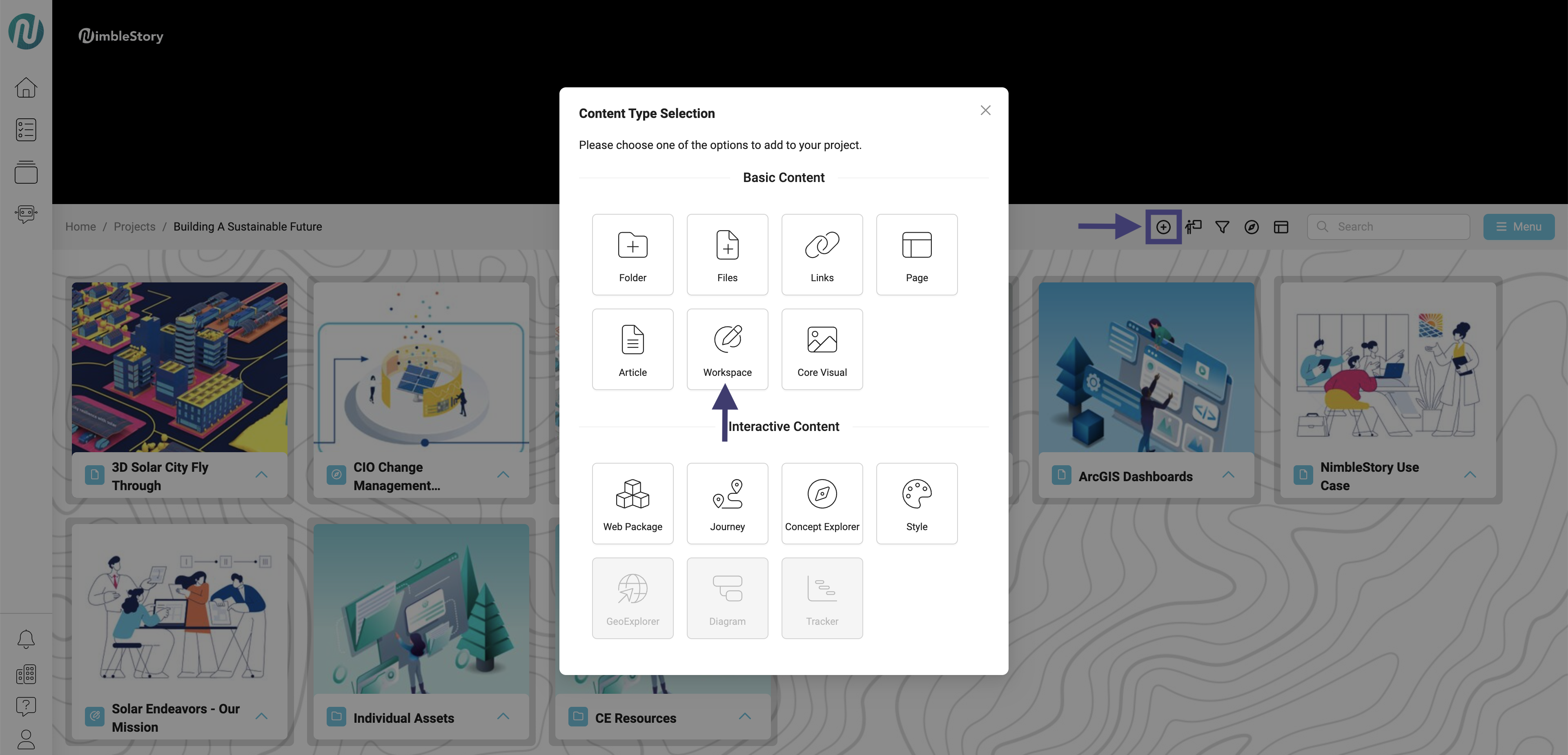
- Navigate to the Add Content button.
- A Content Type Selection modal will appear.
- Click Workspace.
-
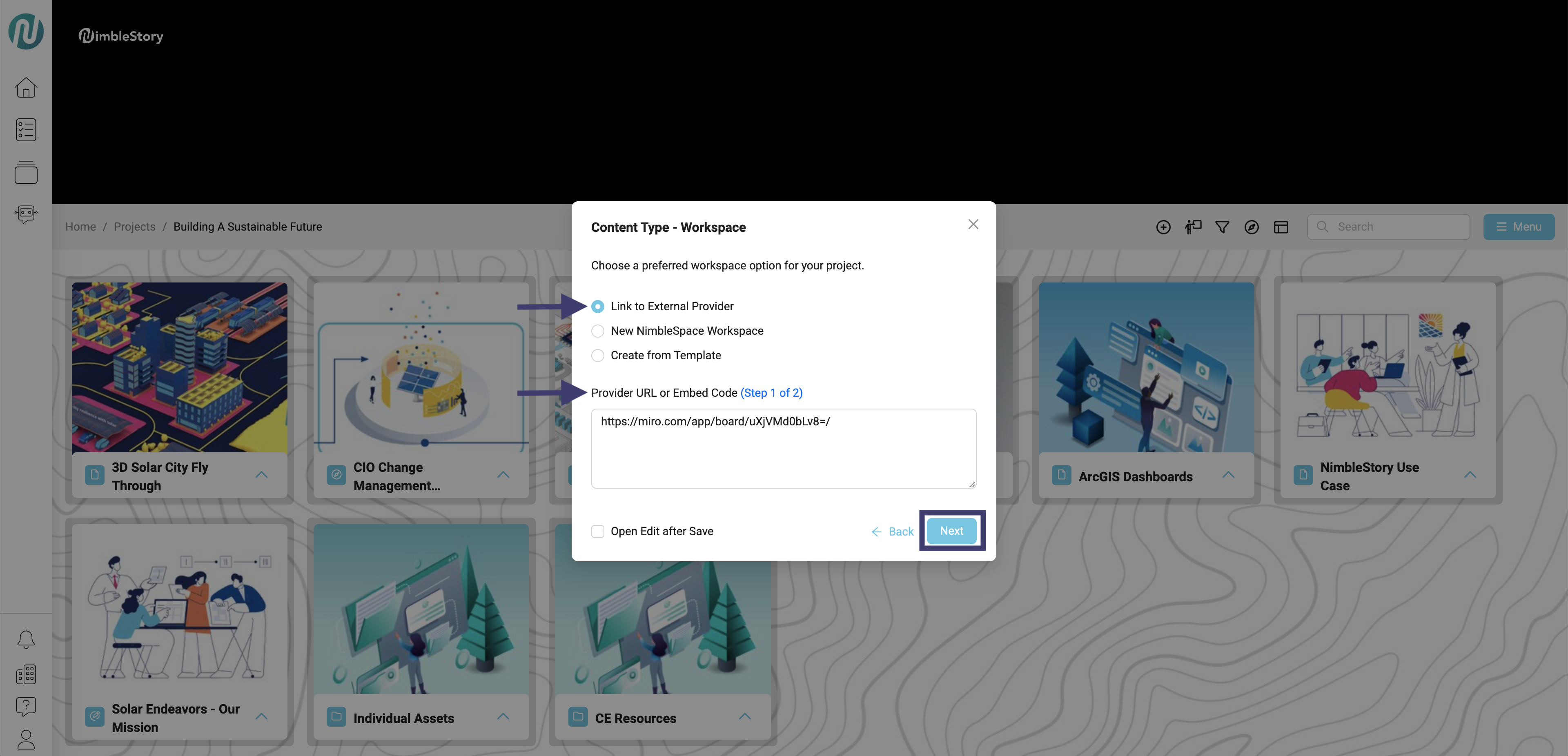
A new modal will appear titled Content Type - Workspace
-
You will have the option to:
- Link to External Provider.
- Start a New NimbleSpace Workspace.
- Create from Template.
-
If choosing Link to External Provider, you will need to provide the URL or Embed Code into the designated box.
-
After pasting the URL or Embed Code, click Next.
-
The option to changing the Title of your asset will appear.
-
Click Save.
-
If choosing New NimbleStory Workspace:
- Create Title.
- Click Save.
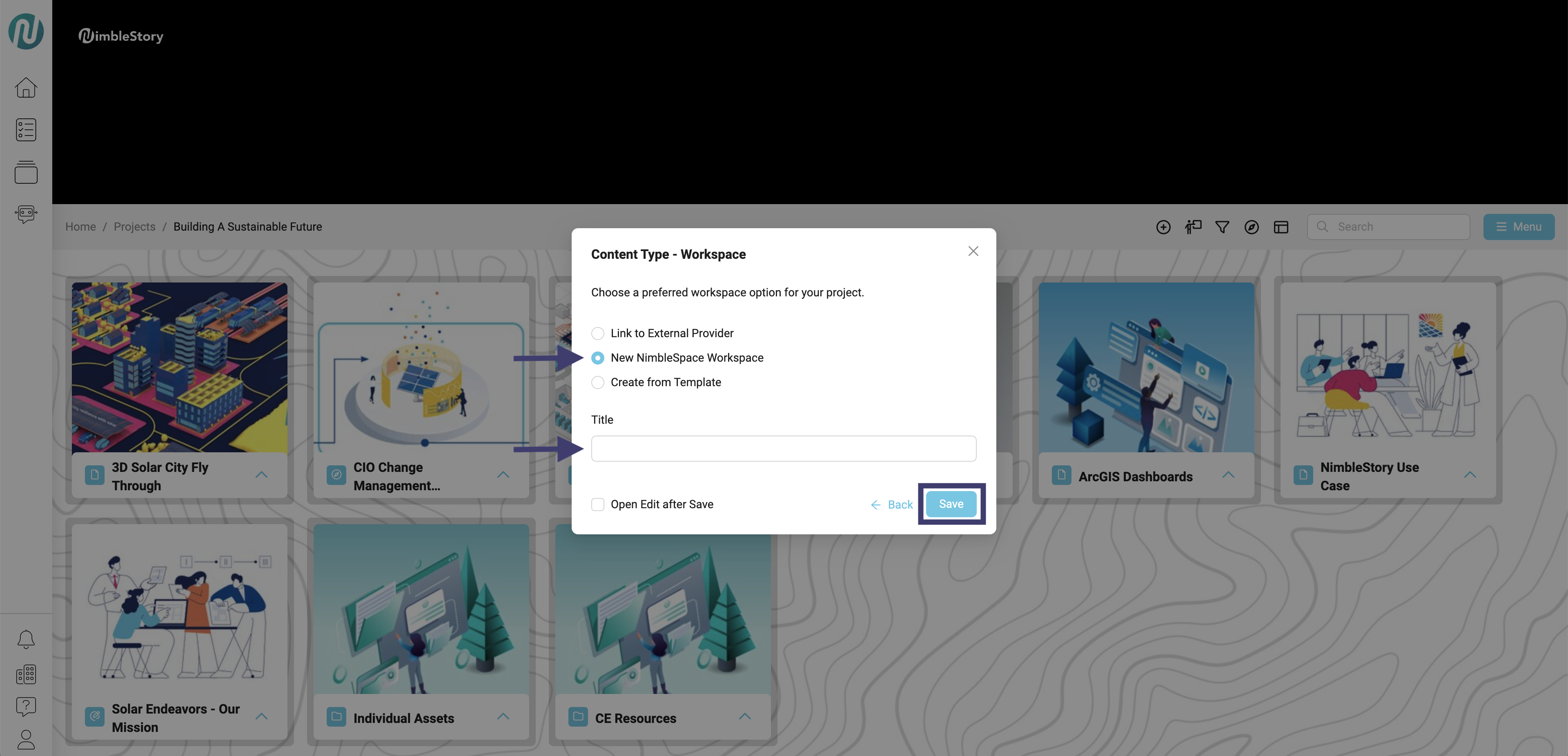
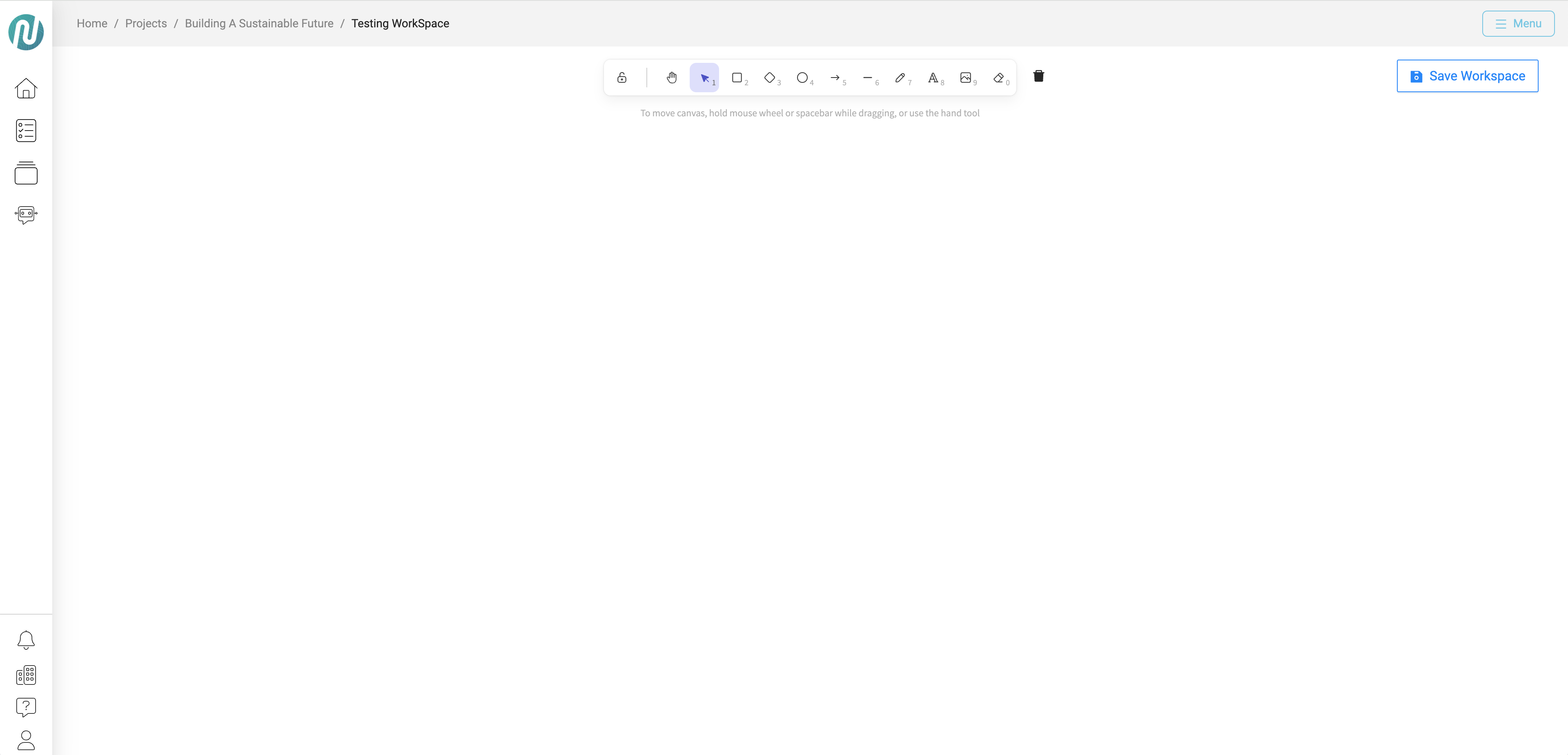
- You will be taken to a blank workspace, where you can save your progress and return at any time.
-
If choosing Create from Template:
- Create a Title.
- Select a Template.
-
Click Save.
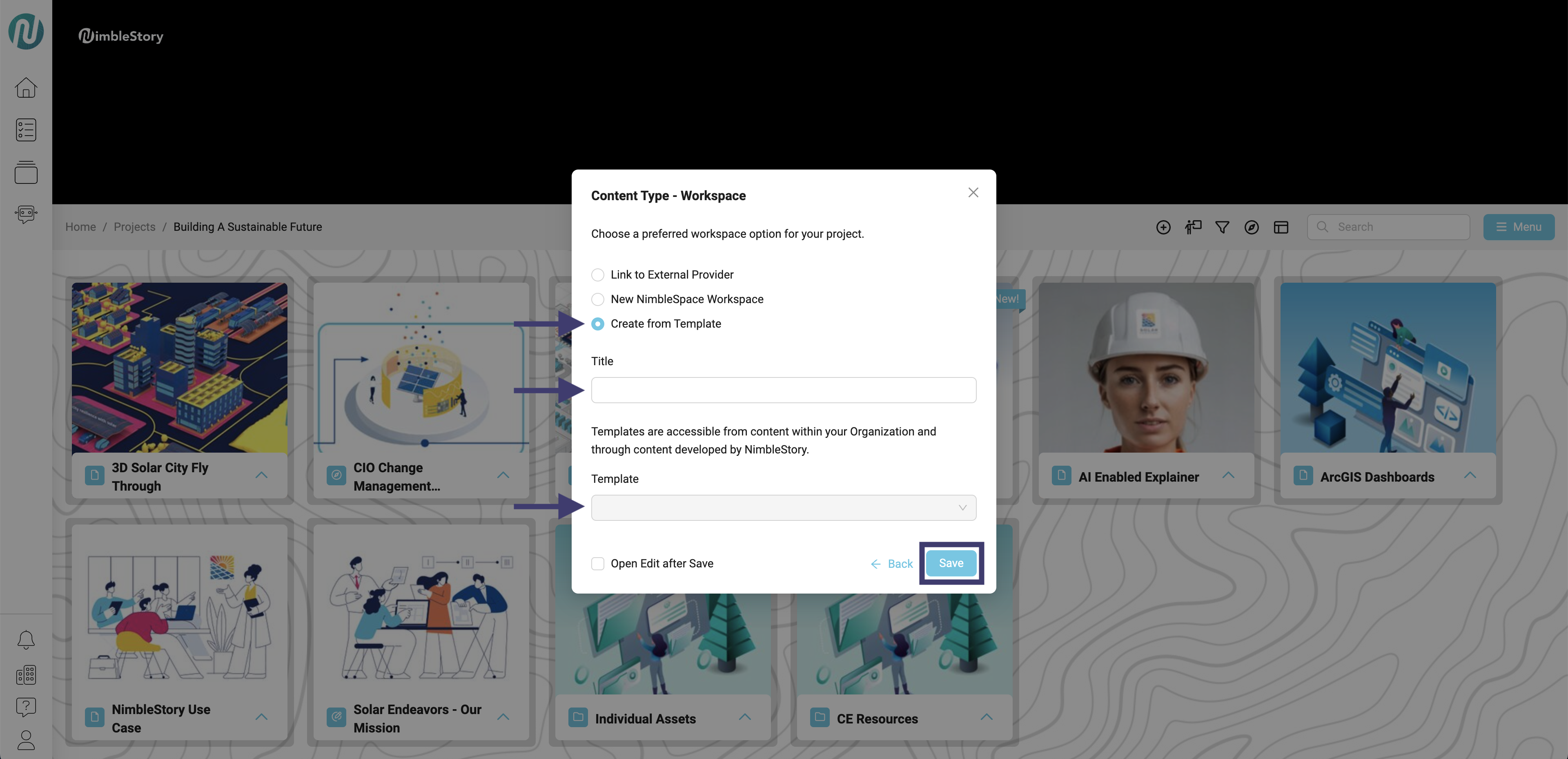
Templates are currently unavailable, but we're working on creating them. Stay tuned—they’ll be available soon to help streamline your workflow!