How to Share a Concept Explorer
📘 Overview
This document will share how you may share a concept explorer both internally (NimbleStory user) and externally (not a NimbleStory user)
📘 How to Share Concept Explorer Internally
-
Navigate to the upper righthand corner and select the Share option.
-
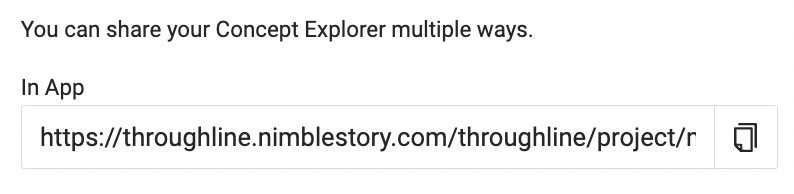
From here you will copy the link that is located under the In App option. This means you are sharing this link to another user who has a login to NimbleStory. To copy the link, click on the copy icon located on the far right.
-
You may now paste this link wherever (email, chat, new web browser, etc.) and as long as the end user has a NimbleStory login, they will be able to view the content you shared.

📘 How to Share Concept Explorer Externally
-
Navigate to the upper right hand corner and select the Share option.
-
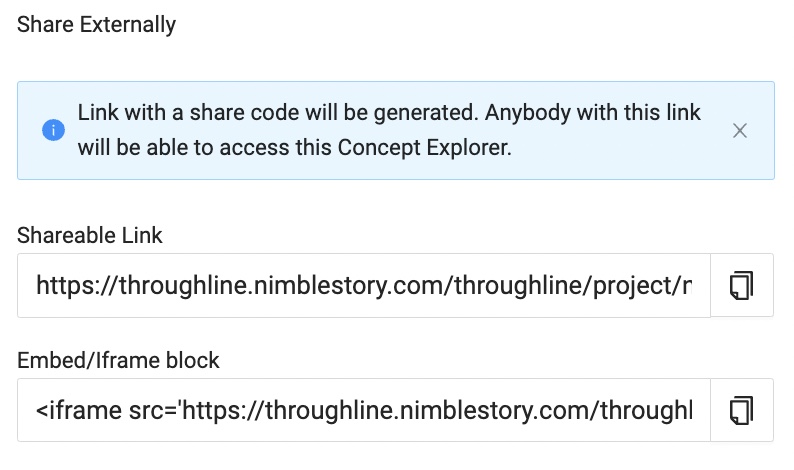
From here you will copy the Shareable Link by clicking the copy icon. You may paste this link like you would to share any other link. When you share a link externally, the end user will have ‘view only’ access.
-
An Embed/Iframe block link can be shared to house the concept explorer on a website. Share this link with a webmaster at your organization to have it embedded in your company website.
If you have any difficulties with sharing a concept explorer, please contact support@nimblestory.com